

Are you tired of constantly shifting in your chair during those intense gaming sessions? You’re not alone.
Many gamers struggle with staying still, which can not only affect your focus but also your overall gaming performance. Imagine the possibility of remaining perfectly positioned, fully immersed in your game without any distracting movements. Sounds great, right? This guide is here to help you achieve just that.
By the end of this article, you’ll discover simple yet effective strategies to keep your gaming posture on point, ensuring that you stay comfortable and concentrated. Ready to enhance your gaming experience? Let’s dive in!

Credit: www.andaseat.com
Choose The Right Chair
Choosing the right chair helps you stay still while gaming. It supports your body and keeps you comfortable.
A good chair reduces the need to move around. This keeps you focused and improves your gaming experience.
Ergonomic Features To Look For
Look for chairs that support your spine and neck. A chair with lumbar support helps keep your back straight. Armrests protect your shoulders from strain.
- Adjustable lumbar support
- Headrest for neck comfort
- Padded armrests
- Seat depth that fits your legs
Materials That Enhance Stability
The materials of the chair affect how stable it feels. Look for strong, heavy bases to stop wobbling. Non-slip feet keep the chair steady on smooth floors.
| Material | Stability Feature | Benefit |
| Steel Base | Heavy weight | Prevents tipping |
| Wide Nylon Feet | Non-slip surface | Keeps chair from sliding |
| High-Density Foam | Firm padding | Supports body evenly |
Adjustable Components For Better Fit
Adjustable parts let you change the chair to your body. This stops the need to move or shift while gaming. You can raise or lower the seat and change the armrest height.
- Seat height adjustment
- Armrest height and angle
- Backrest tilt and lock
- Swivel and smooth rolling wheels

Credit: www.ign.com
Optimize Chair Placement
Moving around too much in your chair can disturb your focus during gaming. Proper chair placement helps keep you steady and comfortable.
Small changes in where and how you place your chair can stop it from sliding or spinning too much. This makes gaming more enjoyable.
Ideal Floor Surfaces For Stability
Hard floors like wood or tile give the best support for your chair. They keep the chair from sinking or tipping over.
Carpeted floors can cause the chair to move more. Thick carpets make it harder for wheels to grip the floor well.
- Wood floors offer smooth and firm support
- Tile floors prevent chair from sliding too much
- Thin rugs on hard floors add extra grip
- Thick carpets may cause instability
Positioning Near Desk Or Wall
Place your chair close to a desk or wall to limit how far it can move. This stops you from sliding backward or sideways.
Keep some space to sit comfortably but not too much room for the chair to roll away. Push the chair back when not in use.
- Keep chair near desk to prevent sliding
- Use walls as a barrier for extra support
- Adjust chair height to fit desk properly
- Push chair fully in when not gaming
Using Rugs Or Mats To Prevent Sliding
Place a non-slip rug or mat under your chair to stop it from moving. This works well on smooth floors.
Choose mats that fit your chair size and have a textured bottom. This keeps both your chair and floor safe from scratches.
- Use anti-slip mats for better grip
- Choose mats large enough for full chair movement
- Pick mats with soft top to protect floors
- Clean mats regularly to keep grip strong
Improve Seating Posture
Sitting still while gaming helps you focus better. Good posture can reduce how much you move in your chair.
Adjust your seating so your body feels balanced and supported. This keeps you steady and comfortable.
Feet Placement For Balance
Keep your feet flat on the floor to stay steady. This gives you a strong base and stops rocking.
If your feet do not reach the floor, use a footrest. This helps keep your balance and prevents sliding.
- Place feet flat and hip-width apart
- Use a footrest if needed
- Keep heels on the ground
Maintaining Proper Back Support
Sit back so your lower back touches the chair. This supports your spine and stops you from leaning forward.
Use a cushion or lumbar support if your chair lacks padding. Good back support helps you stay in one place.
- Keep your back straight and supported
- Use lumbar pillows if needed
- Avoid slouching or leaning
Arm Positioning To Minimize Movement
Rest your arms on armrests or your desk. This reduces extra arm movement that can make you shift in your chair.
Keep elbows close to your body and wrists straight. This helps control your movements and keeps you steady.
- Use armrests to support your elbows
- Keep elbows near your sides
- Maintain straight wrists while gaming
Add Stability Accessories
Moving around in your chair while gaming can distract you. Adding stability accessories helps keep your chair steady. These tools make your gaming experience smoother and safer.
Below are some useful accessories that add stability to your gaming chair. Each one has unique benefits for stopping unwanted movement.
Non-slip Pads And Grips
Non-slip pads and grips attach to the bottom of your chair legs or wheels. They stop the chair from sliding on smooth floors. These accessories are easy to install and affordable.
- Rubber pads for chair legs
- Silicone grips for wheels
- Adhesive strips for extra hold
- Textured mats placed under the chair
Chair Anchors And Wheel Locks
Chair anchors fix your chair in one place. Wheel locks stop rolling and keep the chair still. These tools are good for gamers who want firm control over chair movement.
| Accessory | Function | Benefit |
| Chair Anchor | Holds chair base | Prevents sliding |
| Wheel Lock | Locks caster wheels | Stops rolling motion |
Using Weighted Bases
Weighted bases add mass to the chair bottom. This extra weight reduces chair movement. You can use weights made for chairs or place heavy objects safely on the base.
Weighted base ideas:
- Sandbags placed under the base
- Metal plates attached to the chair frame
- Heavy rubber mats on the floor
Adjust Gaming Habits
Many gamers move around a lot in their chairs without realizing it. This can cause discomfort and affect focus. Changing how you play can help you stay still and comfortable.
Simple habit changes improve your posture and reduce unnecessary movements. These tips help you enjoy gaming with less strain.
Minimizing Excessive Movement
Try to keep your body relaxed but steady while gaming. Too much fidgeting can cause muscle tension. Focus on small movements only when needed.
- Sit back fully in your chair to support your spine.
- Keep your feet flat on the floor or footrest.
- Hold your controller or mouse gently, not tightly.
- Adjust your chair height so your arms rest comfortably.
- Avoid twisting your torso or leaning too far forward.
Breathing And Relaxation Techniques
Controlled breathing helps calm your body and mind. Relaxation lowers tension and stops you from moving too much.
Try this breathing exercise while gaming:
- Breathe in slowly through your nose for 4 seconds.
- Hold your breath for 4 seconds.
- Exhale slowly through your mouth for 6 seconds.
- Repeat 3 times before resuming play.
Breaks To Reset Posture
Taking short breaks helps your body stay relaxed and reset your posture. Use breaks to stretch and move gently.
| Break Time | Activity |
| Every 30 minutes | Stand up and stretch legs and back |
| Every hour | Walk around for 3 to 5 minutes |
| During long sessions | Do shoulder rolls and neck stretches |
Maintain Your Chair
Keeping your gaming chair in good shape helps you stay steady. A well-maintained chair stops unwanted movements. It also lasts longer and feels comfortable.
Simple care steps can fix most problems. Check your chair often to avoid big repairs. Focus on screws, moving parts, and worn pieces.
Regular Tightening Of Screws
Screws can loosen from use and cause your chair to wobble. Tighten them regularly to keep the chair stable. Use the right tool for each screw.
Check screws under the seat, on the armrests, and at the base. Make sure they are snug but not too tight to avoid damage.
- Use a screwdriver or Allen wrench
- Inspect screws every few weeks
- Do not overtighten screws
- Replace missing screws right away
Lubricating Moving Parts
Moving parts need lubrication to work smoothly. This stops squeaks and jerks while you move. Use a light machine oil or silicone spray.
Focus on wheels, swivel joints, and height adjustment parts. Apply lubricant carefully and wipe off any excess to keep clean.
- Remove dust before lubrication
- Apply oil to wheels and joints
- Test movement after lubrication
- Lubricate every few months
Replacing Worn Components
Worn parts cause instability and discomfort. Replace parts like wheels, gas lifts, or armrests if they are damaged. This keeps your chair safe.
Check for cracks, tears, or weak spots. Use parts that fit your chair model for the best results. Changing parts early saves you money later.
- Inspect parts every month
- Order exact replacement parts
- Follow instructions for installation
- Test the chair after repairs
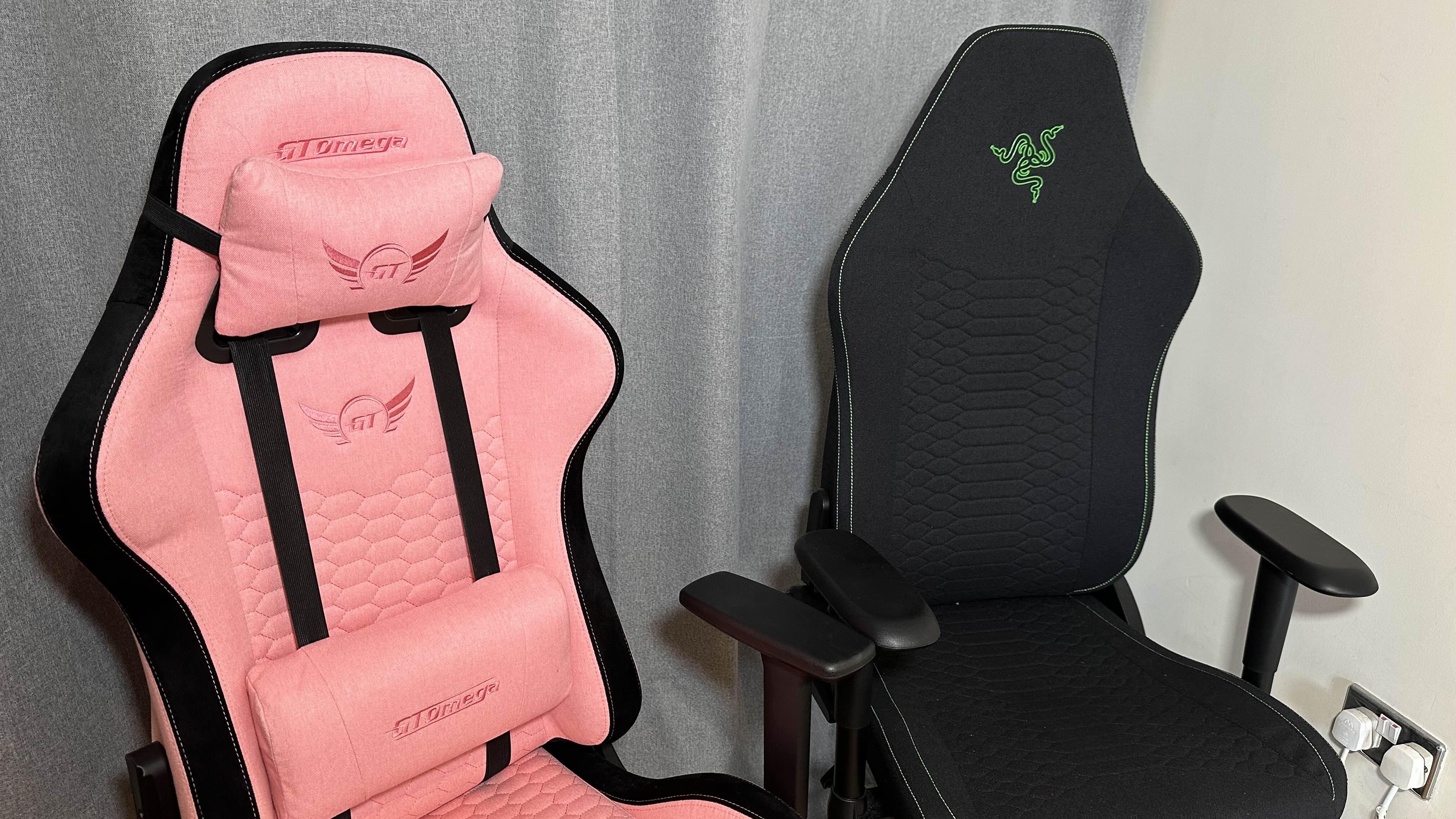
Credit: www.gamesradar.com
Frequently Asked Questions
How Can I Stop Moving In My Chair While Gaming?
To stop moving, adjust your chair for better support. Use a chair with good lumbar support. Keep your feet flat on the floor. Take regular breaks to stretch and relax your muscles.
What Chair Features Reduce Movement During Gaming?
Look for chairs with armrests, adjustable height, and firm cushions. A swivel lock helps prevent unwanted spinning. Ergonomic design supports your posture and reduces fidgeting. These features keep you stable and focused.
Does Posture Affect Chair Movement While Gaming?
Yes, good posture reduces unnecessary movement. Sit upright with your back against the chair. Keep your feet grounded and shoulders relaxed. Proper posture increases comfort and limits shifting in your seat.
How Does Chair Stability Impact Gaming Focus?
Stable chairs prevent distractions from wobbling or sliding. A sturdy base and non-slip feet increase stability. This helps maintain concentration and improves your gaming performance. Choose chairs designed for stability to avoid constant adjustments.
Conclusion
Staying still in your chair helps improve focus and game performance. Choose a comfortable chair that supports your back well. Keep your feet flat on the ground to avoid fidgeting. Take short breaks to stretch and relax your muscles. Adjust your sitting posture often to stay comfortable.
These simple steps can reduce unnecessary movement while gaming. Enjoy your games with better control and less distraction. Practice these tips regularly to build good habits. Gaming feels more fun when you stay steady in your seat.


