Are you tired of juggling your TV on unstable surfaces or struggling with cluttered shelves? Mounting your TV on a TV stand can be the perfect solution to create a clean, organized, and stylish entertainment area.
But how exactly do you do it safely and securely? In this guide, you’ll discover simple, step-by-step instructions that anyone can follow. By the end, you’ll know exactly how to mount your TV so it looks great and stays put—giving you peace of mind and a better viewing experience.
Ready to transform your space? Let’s dive in.
Choose The Right Tv Stand
Picking the right TV stand is important for your TV’s safety and look. The stand holds the TV and fits your room style.
Think about the size, weight, and design before buying a TV stand. This helps keep your TV steady and your space nice.
Measure Your Tv And Stand
Measure your TV’s width and height to find a stand that fits. The stand should be wider than your TV for balance.
Check the stand’s height too. It should let you watch the TV comfortably from your usual seat.
- Measure TV width and height
- Choose a stand wider than the TV
- Pick a stand height that suits your viewing position
Consider Weight Capacity
Look at how much weight the TV stand can hold. Your TV must not be heavier than the stand’s limit.
Check the stand’s material and build quality. Strong wood or metal stands usually support more weight safely.
- Find the stand’s weight limit
- Compare with your TV’s weight
- Choose sturdy materials like wood or metal
Select Suitable Design And Style
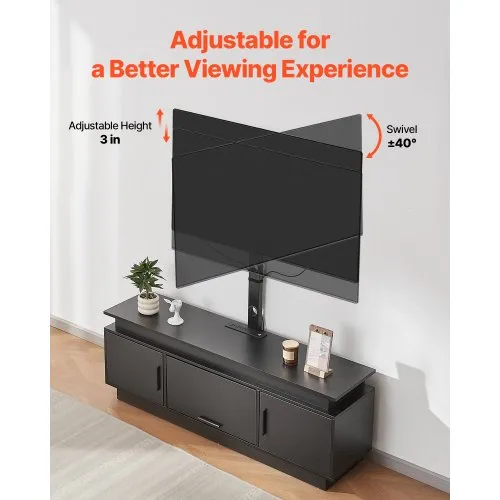
Pick a stand style that matches your room’s look. A good design makes your space neat and attractive.
Think about extra features like shelves or cabinets. They help store remotes, consoles, or DVDs.
- Match stand color with room decor
- Choose simple or modern designs
- Look for extra storage options if needed
Credit: www.vevor.com
Gather Necessary Tools And Materials
Mounting a TV on a TV stand needs the right tools and materials. This helps keep the TV safe and stable.
Before starting, gather everything you need. This saves time and avoids mistakes.
Essential Tools Checklist
Use these basic tools to mount your TV on a stand properly. Each tool helps with a specific task.
- Screwdriver (Phillips and flathead)
- Power drill with drill bits
- Measuring tape
- Level tool
- Stud finder (if needed)
- Socket wrench set
- TV mounting bracket (compatible with your TV)
- Safety gloves
- Soft cloth or padding
Optional Accessories For Stability
These extra items improve your TV’s stability on the stand. They help prevent accidents or damage.
- Anti-tip straps for added security
- Rubber pads to reduce slipping
- Cable management clips or ties
- Wall anchors for extra support
- Additional screws for reinforcement
Prepare The Tv And Stand
Mounting a TV on a TV stand needs good preparation. You should get the TV and stand ready first.
This helps keep the process safe and easy. Follow clear steps to prepare your space and tools.
Clear The Area
Remove all items around the TV stand. Make space so you can move freely and safely.
Clear the floor to avoid trips or falls. This also protects the TV and stand from damage.
- Take away cables and devices near the stand
- Move furniture that blocks access to the stand
- Use a soft cloth or mat to protect surfaces
Attach Mounting Brackets To Tv
Find the mounting points on the back of your TV. These are usually small holes for screws.
Use the mounting brackets that came with your TV or stand. Attach them tightly with screws.
- Check the bracket size fits your TV
- Line up the brackets with mounting holes
- Tighten screws evenly to hold the brackets
Inspect Stand For Mounting Points
Look over your TV stand to find where the TV mounts. Some stands have special spots for brackets.
If your stand does not have mounting points, check if it can hold a mounting plate or adapter.
- Find holes or slots designed for mounts
- Make sure the stand is stable and strong
- Check the weight limit of the stand
Mount The Tv On The Stand
Mounting your TV on a TV stand keeps it safe and at eye level. This guide helps you attach the TV properly.
Follow simple steps to align, secure, and check your TV on the stand. This ensures stability and safety.
Align Brackets With Stand
Start by placing the mounting brackets on the back of the TV. Make sure they line up with the stand's holes.
Check if the brackets fit the stand’s mounting points. Adjust if needed before attaching the TV.
Secure Tv To Stand
Use screws or bolts to fasten the TV brackets to the stand. Tighten them firmly but do not over-tighten.
Make sure all screws are in place. This keeps the TV safely attached to the stand.
- Use the right size screws for your TV and stand
- Tighten screws evenly on both sides
- Do not force screws into holes
Double-check Stability
After mounting, gently shake the TV to test its stability. It should not wobble or move easily.
Look under and behind the TV to ensure no parts are loose. Confirm the stand is on a flat surface.
- Check that all screws are tight
- Make sure the stand is level
- Keep cables clear of moving parts
Manage Cables And Accessories
Mounting a TV on a stand looks clean and saves space. Managing cables and accessories keeps the area neat. It also helps prevent damage to wires and devices.
Good cable management makes using your TV easier. It keeps power and HDMI cables organized and safe.
Organize Power And Hdmi Cables
Separate power cables from HDMI cables to avoid interference. Use cable ties or Velcro straps to bundle cables together. Label each cable to find it quickly later.
Keep cables loose enough to prevent damage but tight enough to stay tidy. Place power cables away from heat sources and water.
- Group cables by type
- Use labels for easy identification
- Avoid tight bends in cables
- Keep power cables separate from data cables
Use Cable Management Solutions
Use cable clips to attach wires to the back of the TV stand. Cable sleeves keep many wires inside one cover. Cable boxes hide power strips and excess cables.
These tools protect cables and keep your TV area tidy. They make cleaning easier and reduce tripping hazards.
- Cable clips for small cables
- Cable sleeves to bundle many cables
- Cable boxes for power strips and adapters
- Hooks or Velcro straps for easy adjustments
Credit: www.mount-it.com
Adjust Viewing Angle And Height
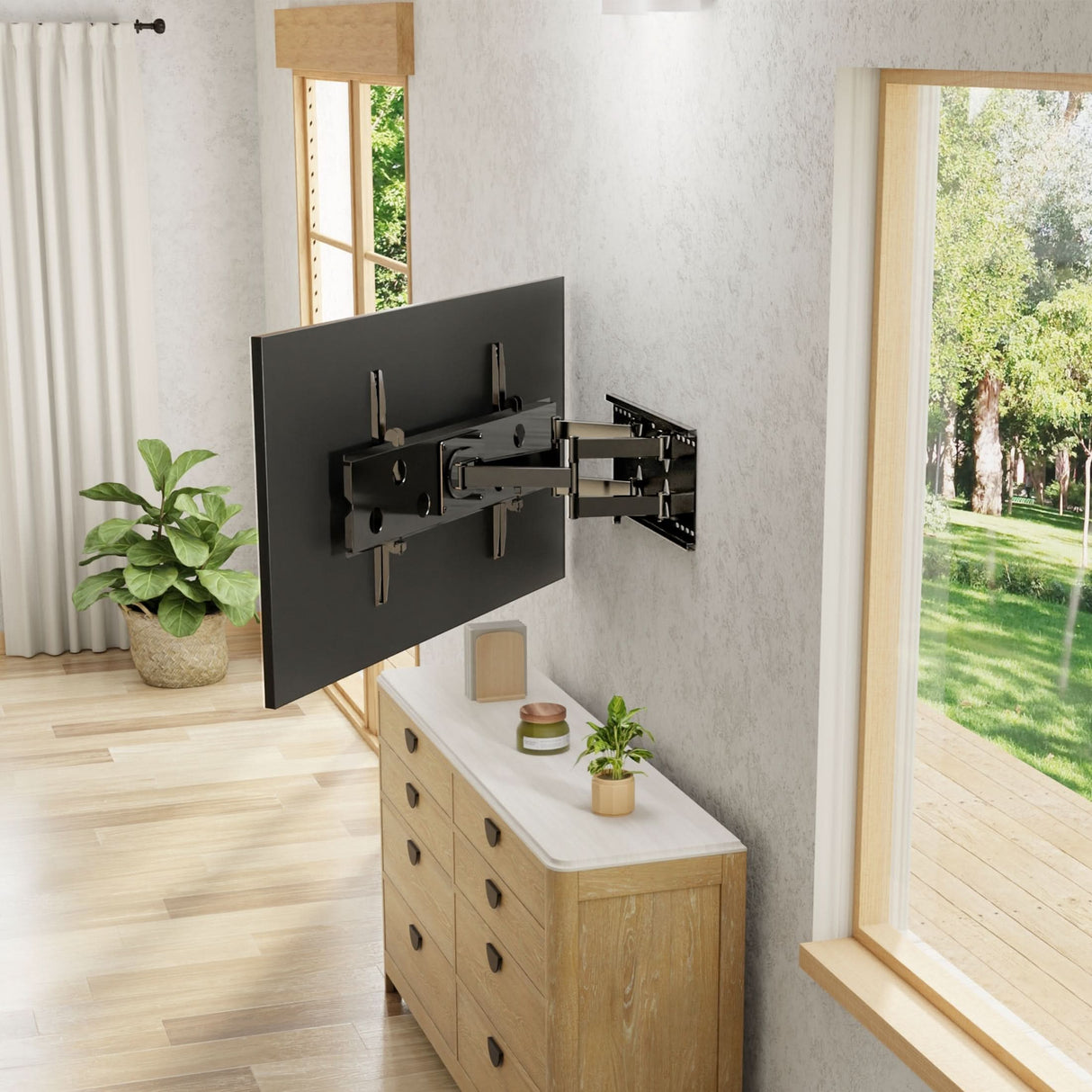
Mounting a TV on a TV stand lets you change its angle and height. This helps you find the best view.
Adjusting the TV correctly reduces neck and eye strain. It makes watching more comfortable.
Tilt Options
Tilt lets you angle the TV screen up or down. It is useful if the TV is too high or low.
Tilting helps reduce glare from windows or lights. It also improves the picture view from different seats.
- Tilt the TV slightly downward if it is above eye level.
- Tilt upward if the TV is below your eyes.
- Use a mount with tilt feature for easy angle changes.
Swivel Options
Swivel means turning the TV left or right. It lets more people see the screen clearly.
Swiveling is helpful in large rooms or open spaces. It adjusts the view without moving the TV stand.
- Swivel the TV toward your main seating area.
- Choose a mount with swivel if you watch from many angles.
- Swivel helps avoid reflections and glare.
Optimize For Comfortable Viewing
Set the TV height so the center is at eye level when seated. This reduces neck strain.
Keep a distance of about 1.5 to 2.5 times the screen size from the TV. This protects your eyes.
- Use tilt and swivel to adjust the view perfectly.
- Avoid screen glare by adjusting the TV angle.
- Keep the TV stable on the stand for safety.
Safety Tips And Maintenance
Mounting a TV on a TV stand needs care to keep it safe. Proper safety steps help avoid accidents and damage.
Regular maintenance ensures your TV stand and mount stay strong. Check them often to keep your TV secure.
Prevent Tip-over Hazards
Tip-overs cause many injuries and damage. Secure your TV to the stand to stop it from falling.
Use straps or brackets to hold the TV in place. Make sure the stand is sturdy and on a flat surface.
- Attach anti-tip straps to both TV and stand
- Place the stand away from edges and high-traffic areas
- Keep cords organized to avoid pulling the TV
- Use a stand made for your TV size and weight
Regularly Inspect Mount And Stand
Check your TV mount and stand often for signs of wear or damage. Loose screws can cause accidents.
Tighten bolts and screws as needed. Replace any broken parts quickly to keep the setup safe.
- Look for cracks or bends in the mount and stand
- Ensure all screws and bolts are tight
- Test stability by gently shaking the TV
- Clean dust and debris to prevent damage

Credit: www.amazon.com
Frequently Asked Questions
How Do You Secure A Tv On A Stand?
To secure a TV on a stand, use mounting brackets. First, ensure the stand is sturdy and level. Then, attach the brackets to the back of the TV. Finally, fix the TV onto the stand's mounting plate and tighten the screws securely.
Can All Tvs Be Mounted On Stands?
Most modern TVs can be mounted on stands. Check your TV's VESA compatibility. This ensures it matches the stand's mounting pattern. If compatible, you can safely mount it. Always refer to the TV and stand manuals for specific instructions and compatibility details.
What Tools Are Needed To Mount A Tv?
You'll need a screwdriver, measuring tape, and possibly a stud finder. Some mounts require a drill. Always check the mounting kit for included tools. Reading the manual ensures you have everything necessary for a smooth installation process.
Is It Better To Wall-mount Or Use A Stand?
It depends on your space and preference. Wall-mounting saves floor space and offers a sleek look. Stands are easier to install and move. Consider room layout, viewing height, and personal style to decide what's best for your needs.
Conclusion
Mounting a TV on a stand is easier than it seems. Follow the steps carefully and take your time. Use the right tools and secure the TV properly. Check the stand’s weight limit before starting. A well-mounted TV looks good and stays safe.
Enjoy your viewing with a stable setup. Small efforts bring a big difference. Now, you can set up your TV stand with confidence. Simple, safe, and smart—just the way it should be.