

Are you tired of feeling uncomfortable or stiff after using your standing desk? The key to comfort and productivity might be right under your nose—or rather, at the right height.
Finding out how tall your standing desk should be can transform your workday, reducing strain and boosting focus. You’ll discover simple steps to set your desk perfectly for your body. Keep reading to learn how a small change can make a big difference in how you work and feel every day.
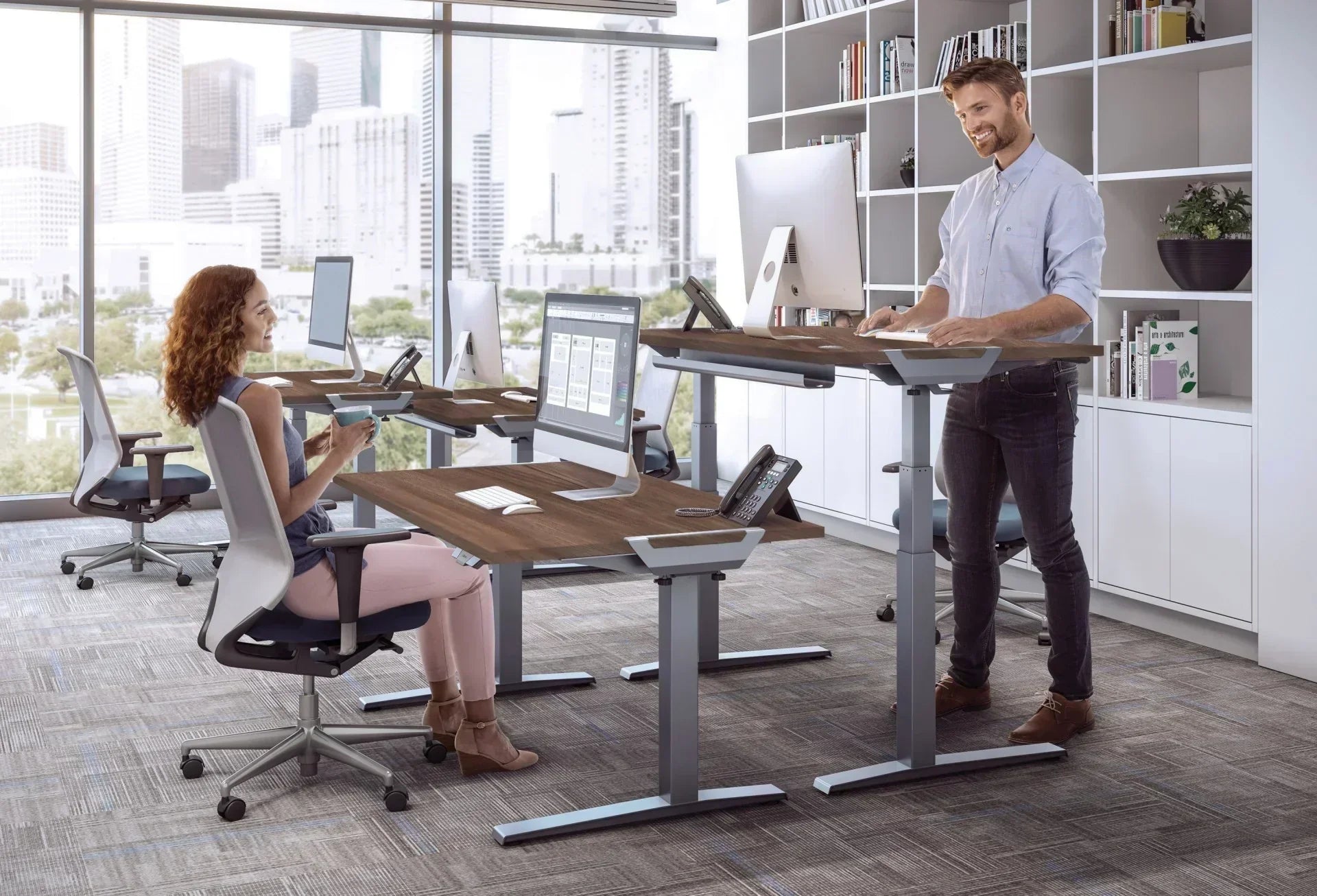
Credit: updowndesk.com.au
Ideal Standing Desk Height
Choosing the right height for your standing desk is very important. It helps you work comfortably and avoid pain.
The best height depends on your body size and work style. A correct desk height keeps your arms and back relaxed.
Factors Influencing Desk Height
Many things affect the height you need for a standing desk. Your height is the main factor.
Your keyboard and screen position also change the best desk height. Your work habits matter too.
- Taller people need higher desks
- Keyboard should be at elbow height
- Screen should be at eye level
- Desk should allow a straight posture
- Tasks you do can change the height needed
Measuring Your Height Correctly
Measure your height to find the best desk height. Stand straight without shoes for accuracy.
Measure from the floor to your elbows while standing. This helps set the desk so your arms rest well.
- Stand straight with feet flat
- Bend arms to a 90-degree angle
- Measure from floor to elbow
- Use this number for desk height
- Adjust for comfort after setting up
Ergonomic Benefits Of Proper Height
Choosing the right height for your standing desk helps your body stay comfortable. It supports healthy movements and reduces strain.
A desk set at the proper height lets you work longer without pain. It improves how you sit and stand during the day.
Reducing Back And Neck Strain
A standing desk at the correct height stops you from bending your neck or slouching. This lowers stress on your back and neck muscles.
When your desk is too high or low, your body tenses up. Adjusting it helps keep your spine in a safe position.
- Keep your elbows close to your body at about 90 degrees
- Place your screen at eye level to avoid neck bending
- Stand with feet flat and shoulders relaxed
Improving Posture And Comfort
The right desk height helps you stand straight and balanced. Good posture prevents muscle fatigue and keeps you alert.
Comfort improves when your arms, wrists, and hands rest naturally. This reduces the risk of strain or injury over time.
- Adjust desk so your wrists stay straight while typing
- Stand tall with your head aligned over your shoulders
- Shift weight evenly on both feet for balance
Adjustable Vs Fixed Standing Desks
Standing desks help reduce sitting time and improve posture. Choosing the right height is key for comfort and health.
There are two main types: adjustable and fixed standing desks. Each type has its own benefits and best uses.
Advantages Of Adjustable Desks
Adjustable desks let you change the height to fit your needs. This helps keep your body comfortable during the day.
You can switch between sitting and standing easily. This reduces fatigue and helps maintain good posture.
- Fits different users and body sizes
- Supports both sitting and standing positions
- Reduces strain on back and neck
- Improves blood flow and energy levels
When Fixed Desks Work Best
Fixed standing desks have one set height. They work well if one person uses the desk regularly.
These desks are often more stable and cost less than adjustable ones. They fit simple setups where height does not change.
- Good for single users with consistent height needs
- More stable and sturdy design
- Lower price compared to adjustable desks
- Easy to set up and use
Height Recommendations By Activity
Choosing the right standing desk height helps you work comfortably. Different tasks need different desk heights.
Adjusting your desk height can reduce strain and improve posture. Let’s explore the best heights for common activities.
Typing And Computer Work
Your desk height should keep your elbows at a 90-degree angle while typing. This position helps reduce wrist and shoulder strain.
Keep your keyboard and mouse close to avoid reaching. Your wrists should stay straight and relaxed during use.
- Desk height at elbow level
- Wrists straight and supported
- Keyboard and mouse within easy reach
Writing And Drawing
For writing or drawing, a slightly higher desk can be better. It helps you lean forward without bending your back too much.
Your desk should allow your forearms to rest flat while your hand moves freely. This reduces fatigue during long sessions.
- Desk height slightly above elbow level
- Forearms rest flat on the desk
- Room to move your hand and arm
Using Multiple Monitors
When using multiple monitors, your desk height should fit your main screen at eye level. This reduces neck strain from looking up or down.
Arrange monitors close together. Keep your elbows at about a 90-degree angle for comfort while typing or using the mouse.
- Main monitor top at or slightly below eye level
- Desk height at elbow level for typing
- Monitors close to reduce head turning
Tips For Setting Up Your Desk
Choosing the right height for your standing desk helps you work comfortably. Setting up your desk well improves posture and reduces pain.
These tips will help you adjust your desk and workspace for better health and productivity.
Aligning Monitor And Keyboard
Place your monitor at eye level to avoid neck strain. Your eyes should look slightly down at the screen. Keep the keyboard at a height where your elbows bend at about 90 degrees.
- Monitor top at or just below eye level
- Screen about 20 inches from your eyes
- Keyboard close enough to keep wrists straight
- Elbows relaxed and bent at 90 degrees
Footwear And Floor Considerations
Wear comfortable shoes with good support while using your standing desk. Hard floors can make standing tiring and cause foot pain. Consider the floor surface when setting up your desk area.
- Choose shoes with cushioning and arch support
- Avoid standing barefoot on hard surfaces
- Use rugs or soft flooring if possible
Using Anti-fatigue Mats
An anti-fatigue mat reduces pressure on your feet and legs. It helps you stand longer without discomfort. Place the mat where you stand most while working.
- Mats should be thick and cushiony
- Keep the mat clean and dry
- Use mats that fit your workspace size

Credit: www.hindustantimes.com
Common Mistakes To Avoid
Choosing the right height for your standing desk is important for comfort and health. Many people make simple mistakes that cause pain or reduce productivity.
Understanding these mistakes helps you set your desk correctly. Avoid these errors for a better standing desk experience.
Too High Or Too Low Desk
A desk that is too high or too low can cause strain on your neck, shoulders, and wrists. Your arms should be at a 90-degree angle when typing.
If the desk is too tall, you may need to raise your shoulders or bend your wrists awkwardly. If too low, you might slouch or lean forward.
- Set desk height so your elbows are level with the desk.
- Keep your wrists straight while typing or using the mouse.
- Adjust monitor height to keep your head upright.
Ignoring Personal Comfort
Everyone's body is different. Ignoring your own comfort when setting the desk height leads to discomfort. Listen to your body's signals.
Adjust your desk and tools to fit your height and preferences. Comfort improves focus and reduces fatigue.
- Try different desk heights to find what feels best.
- Use an anti-fatigue mat if standing feels hard.
- Wear comfortable shoes that support your feet.
Neglecting Breaks And Movement
Standing still for long periods can cause tired muscles and stiffness. Many forget to take breaks or move around.
Changing posture and moving regularly helps blood flow and reduces pain. Breaks keep you alert and healthy.
- Take short breaks every 30 to 60 minutes.
- Walk around or stretch during breaks.
- Alternate between sitting and standing if possible.

Credit: www.ebay.com
Frequently Asked Questions
What Is The Ideal Height For A Standing Desk?
The ideal height for a standing desk is typically at elbow level. This ensures your arms are at a 90-degree angle. Adjust the desk so your computer screen is at eye level, avoiding neck strain. Most people find a height between 38 to 42 inches works best, depending on individual height.
How Do I Measure For A Standing Desk?
To measure for a standing desk, stand upright with relaxed shoulders. Bend your elbows to a 90-degree angle, and measure from the floor to your elbow. This measurement is your ideal desk height. Ensure your screen is at eye level to maintain good posture and avoid strain.
Can A Standing Desk Be Adjustable?
Yes, many standing desks are adjustable to accommodate different users. Adjustable desks allow you to switch between sitting and standing positions easily. This flexibility helps reduce fatigue and promotes better posture. Look for desks with smooth height transitions for ease of use.
Are Standing Desks Better For Posture?
Standing desks can improve posture by encouraging you to stand upright. When using a standing desk, ensure your monitor is at eye level to prevent neck strain. Regularly alternating between sitting and standing can reduce back pain and promote better overall health.
Conclusion
Finding the right height for your standing desk helps your body feel good. Set it so your elbows bend at about 90 degrees. Keep your screen at eye level to avoid neck strain. Standing too high or too low causes discomfort.
Small adjustments make a big difference. Your comfort and focus improve when your desk fits you well. Try different heights to see what feels best. A proper desk height supports healthy posture all day. Keep moving and change positions often for best results.


